
Before exporting a template, make sure you are logged in to your account on the platform Constructbuy.com
Exporting a model from ESTIMATION
From the template you want to export, click on Export template to TAKEOFF
-
This function can be used in a submission already imported from TAKEOFF
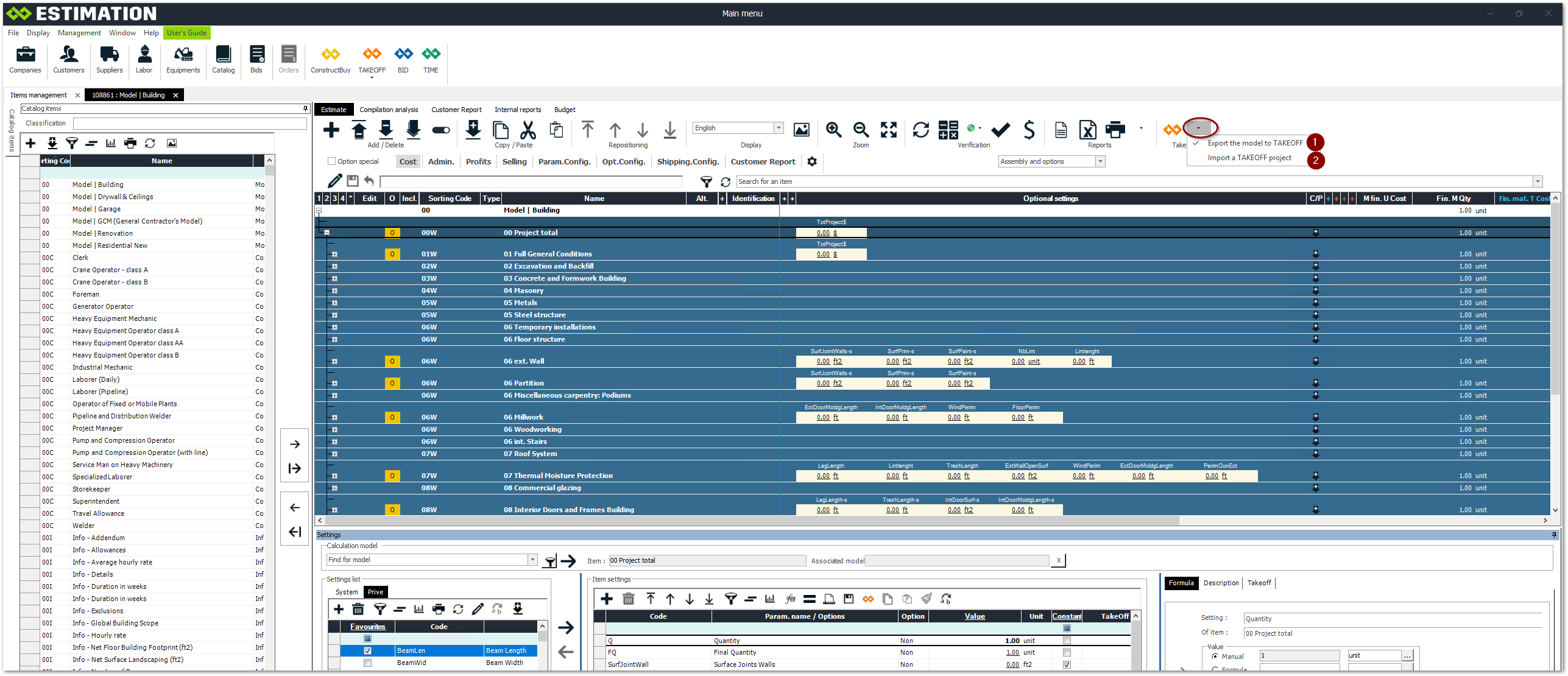
Exporting a model from ESTIMATION (next display)
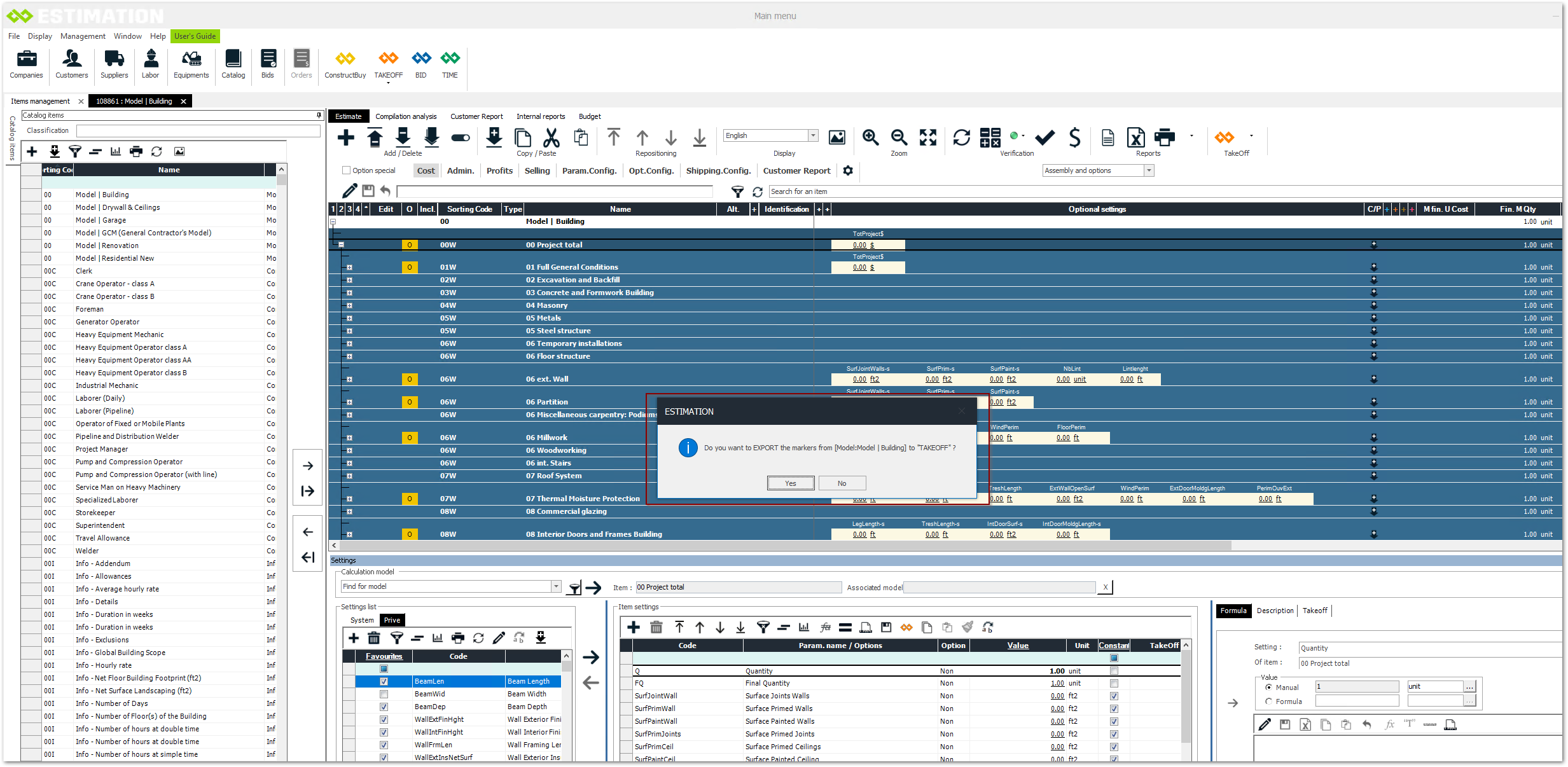
A transfer confirmation message will be displayed after a few seconds
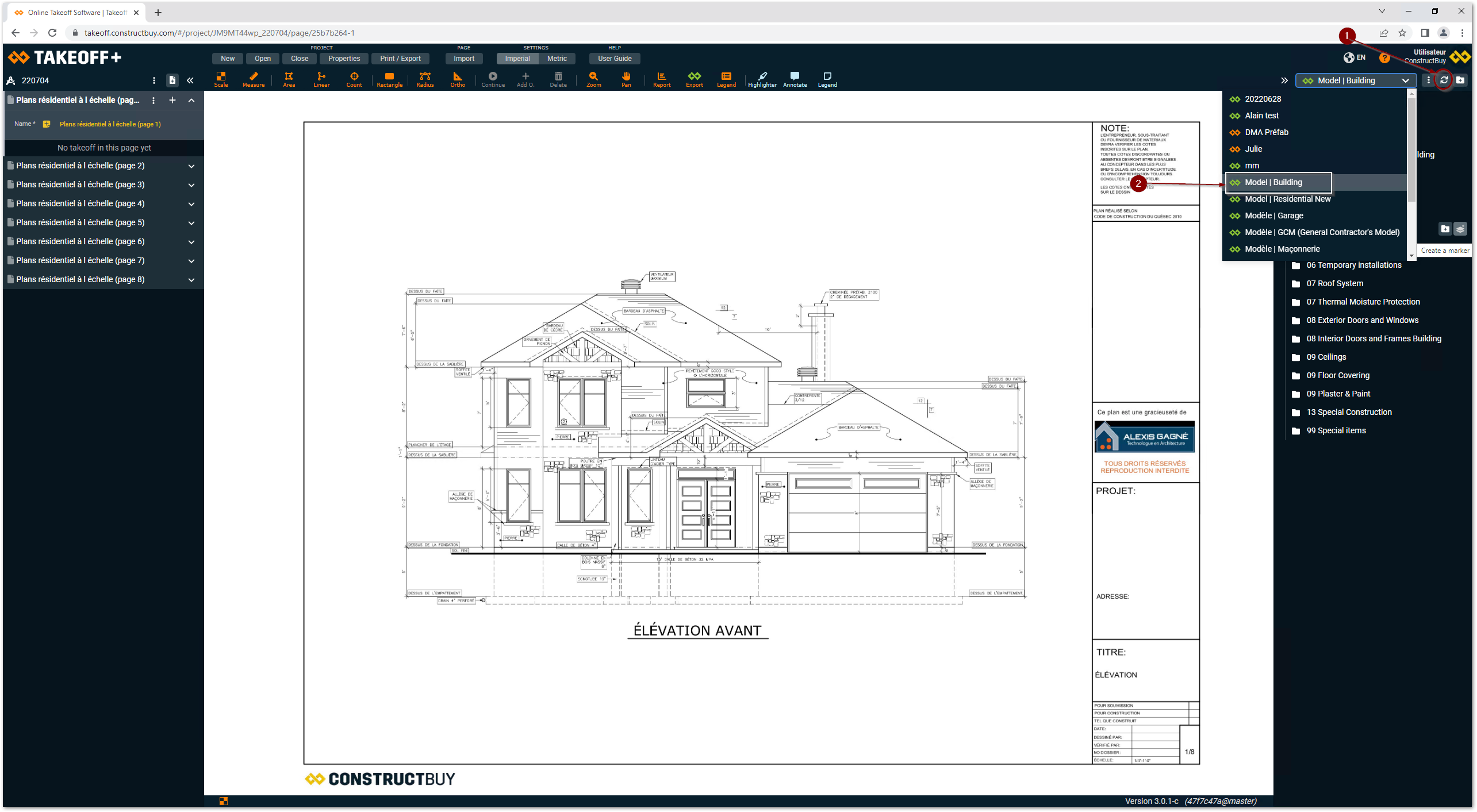
Open TAKEOFF
-
Refresh the list of templates
-
CSelect the model