
You know that you have access to more than one ConstructBuy account, but you don’t know how to easily switch between your accounts?
Follow the instructions below to learn how to change your active organization as desired:
-
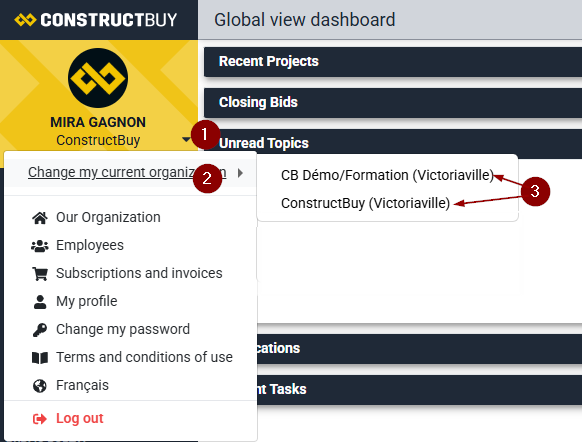
Click on the small downward-pointing arrow to the right of your company name, located in the yellow rectangle at the top left of the screen
-
Click on Change my active organization (if this option is not available, you only have one ConstructBuy account linked to this email address)
-
Select the organization you want to access from the list of available organizations