
Before importing or exporting, you must make sure that you are logged into your account on the platform Constructbuy.com
You can export your quantities at any stage of your quantity statement
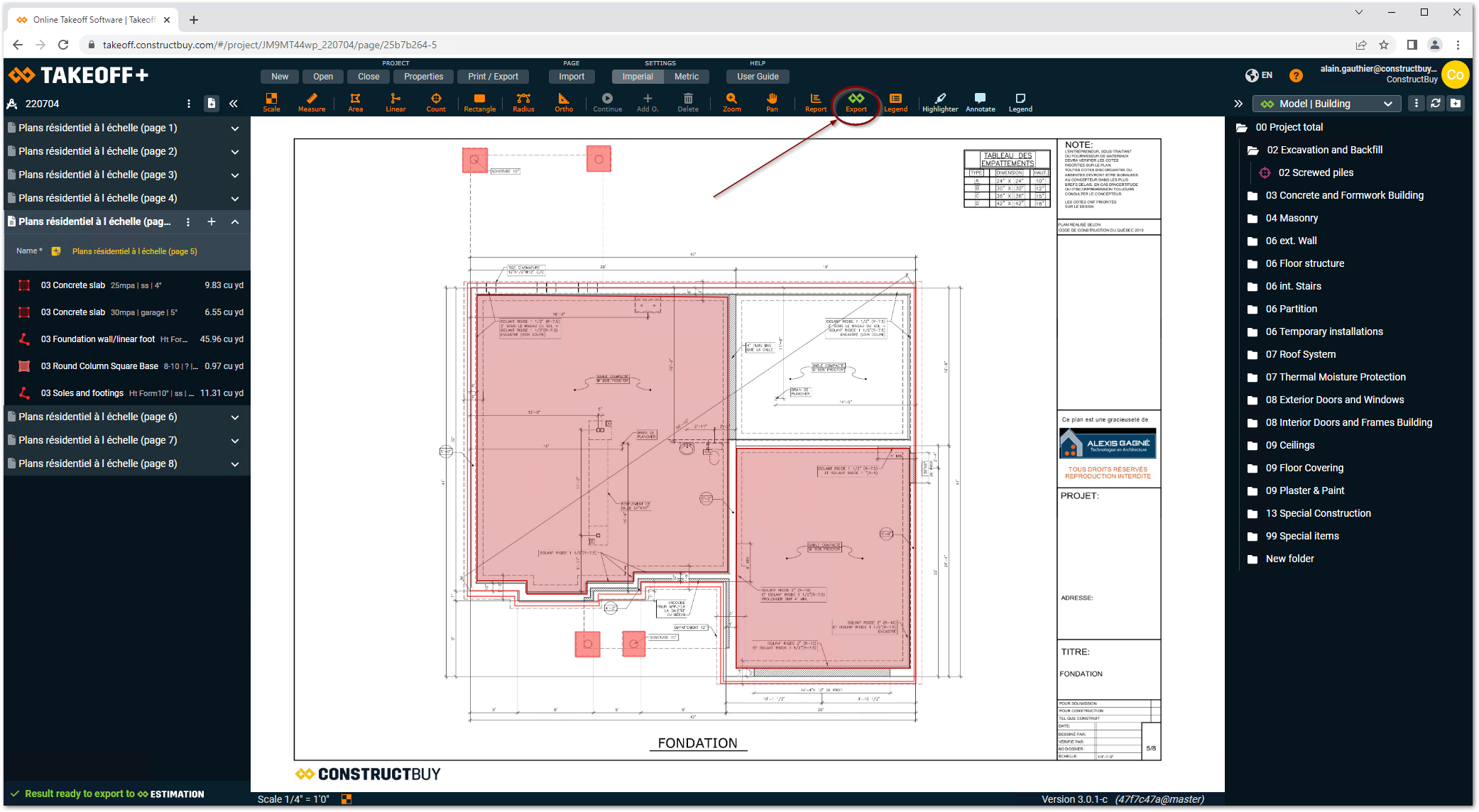
In TAKEOFF, click on Export.
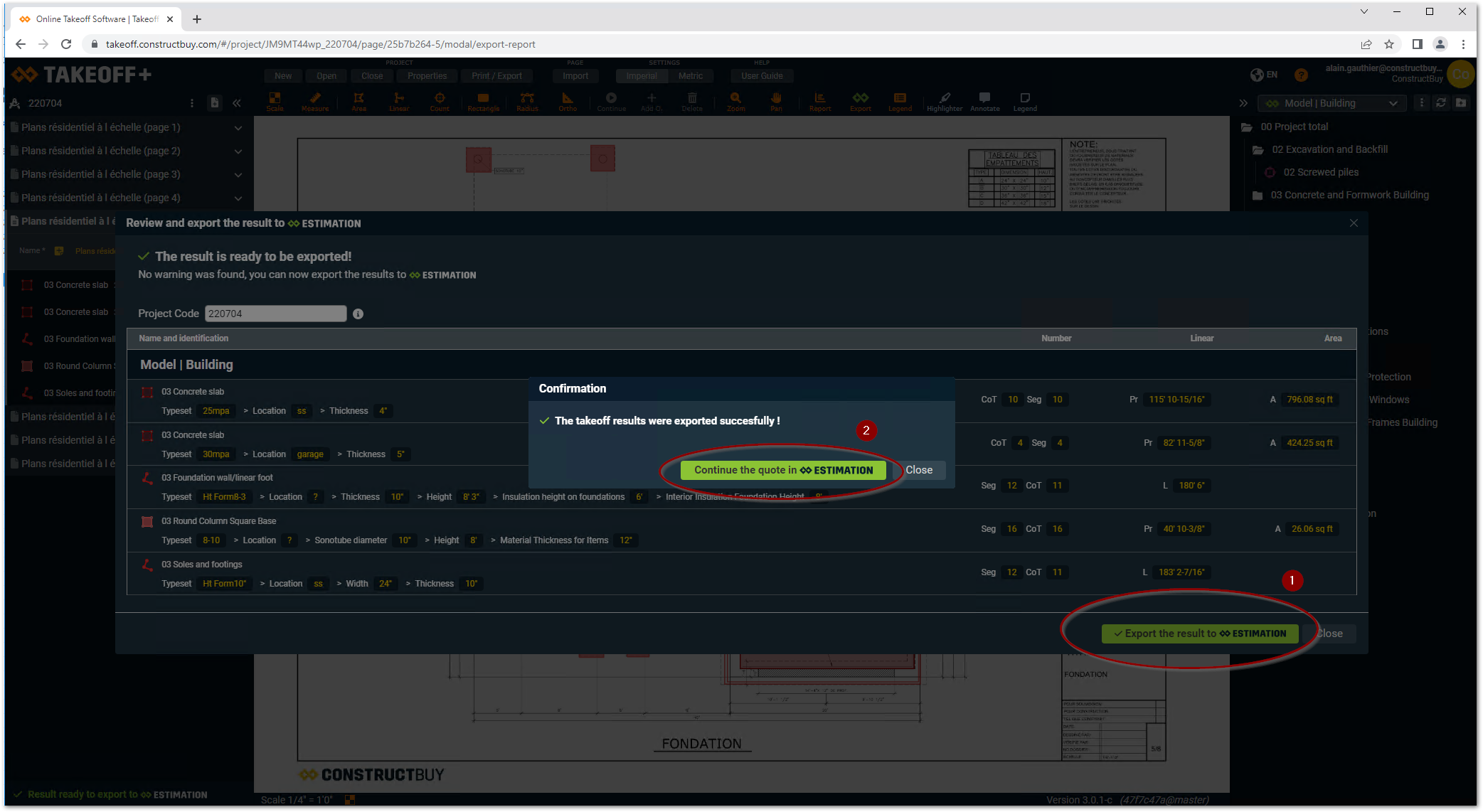
-
Click on Export
-
Click on Continue the quote in ESTIMATION
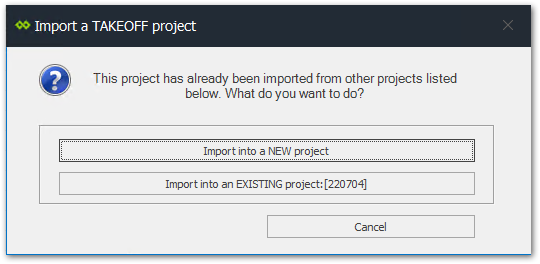
If you have already imported quantities, the following dialog box will appear in ESTIMATION
The import of statements can also be done from ESTIMATION using the following method:Import a project from TAKEOFF