
Sometimes, you may need to deduct an area from a shape that you drew, for example to take out the surface of openings to calculate sidings.
-
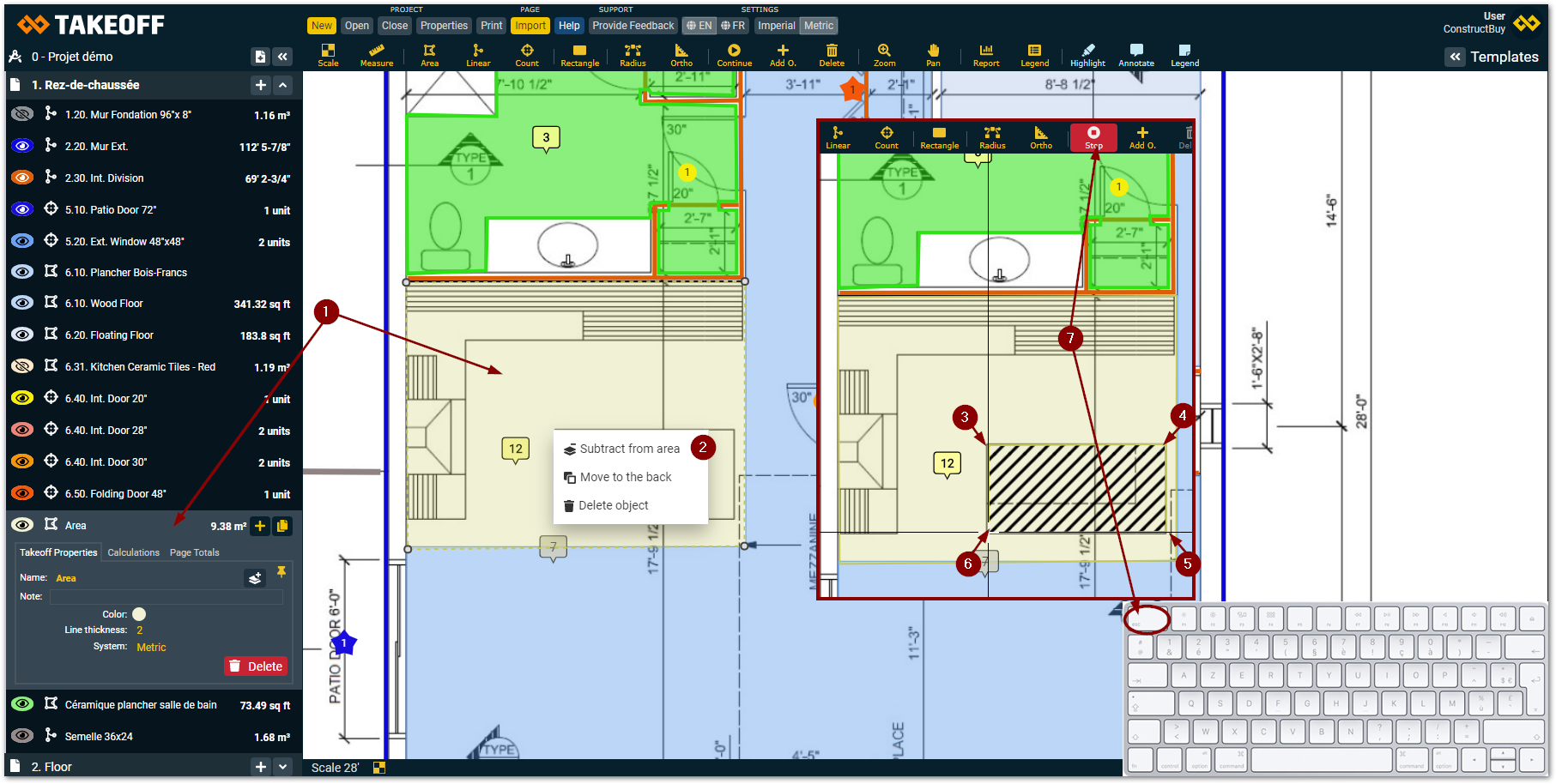
Make a right click with your mouse on the area from which you want to deduct an area
-
Choose “Subtract from area” in the choices that appear
-
Click on the first corner of the area you want to deduct from the first area
-
Click on the second corner of the area you want to deduct
-
Click on the Third corner of the area you want to deduct
-
Click on the fourth corner of the area you want to deduct and repeat until the surface you want to deduct is all scratched out of the plan
-
Click on the “Stop” button when you are finish deducting the area from your takeoff