
Description of controls and commands: Item management
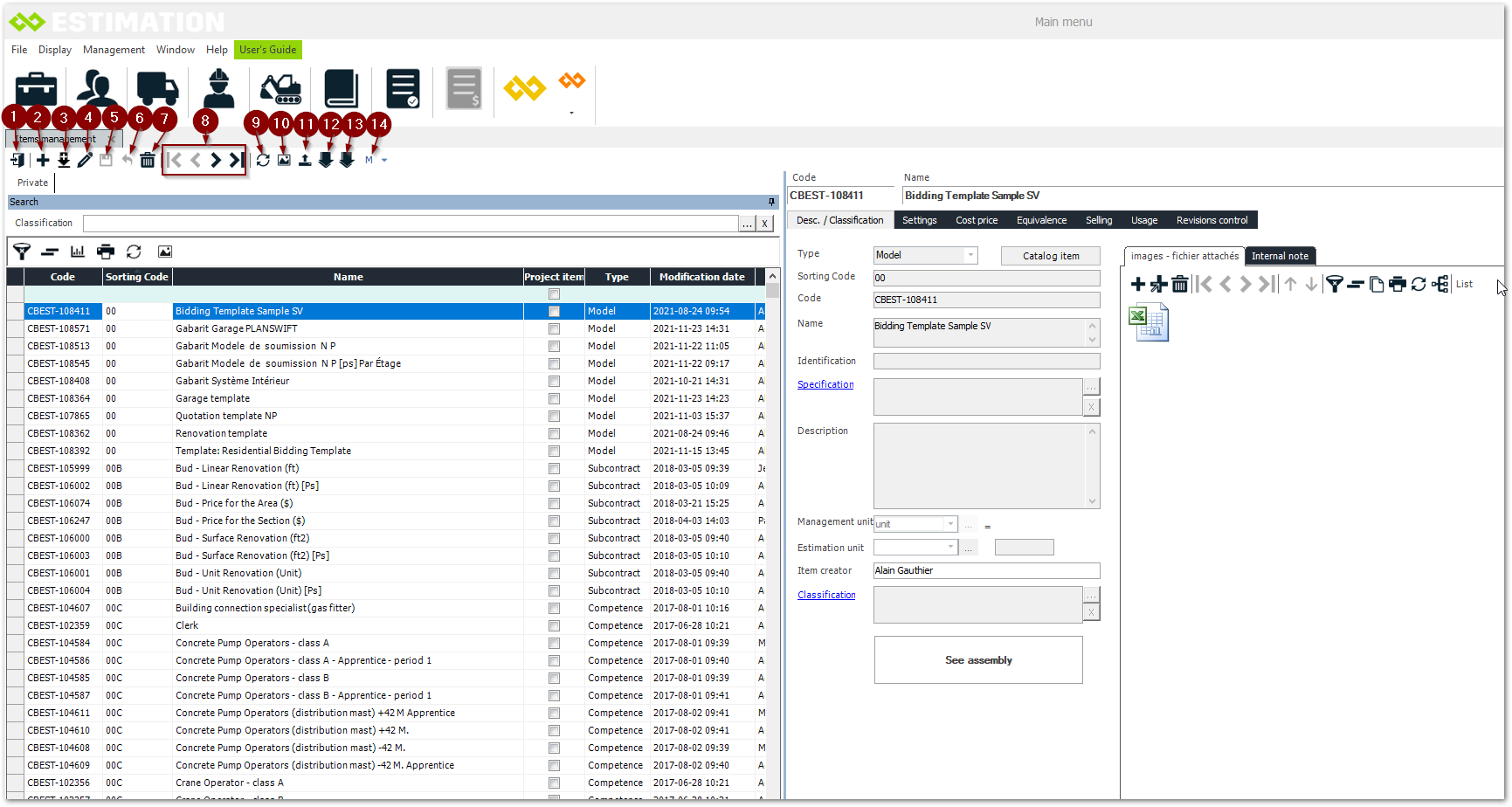
-
Exit the item management
-
Add an item. See Create an item
-
Duplicate an item
-
Modify an item
-
Save (Available when editing)
-
Undo (Available when editing)
-
Delete
-
Navigation in the management of the items
-
Refresh
-
View image
-
Export material items
-
Import items
-
Import prices
-
Set, end and undo the last modification.