-
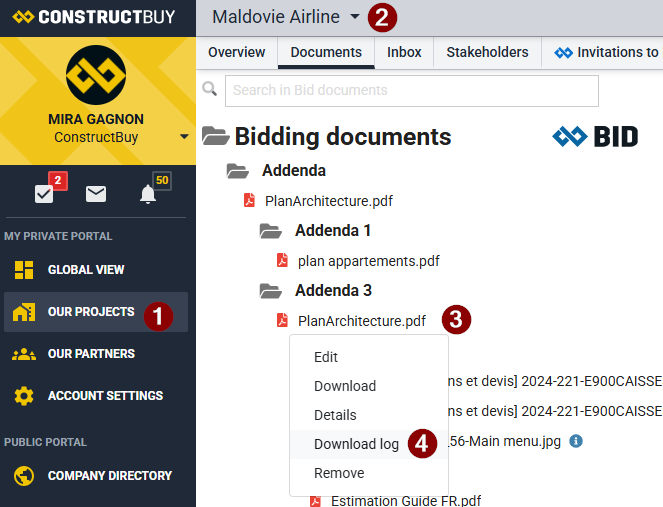
Go to the project of your choice.
-
Click Documents.
-
Click the arrow to the right of the file whose download history you want to view.
-
Select Download Log from the list of options.
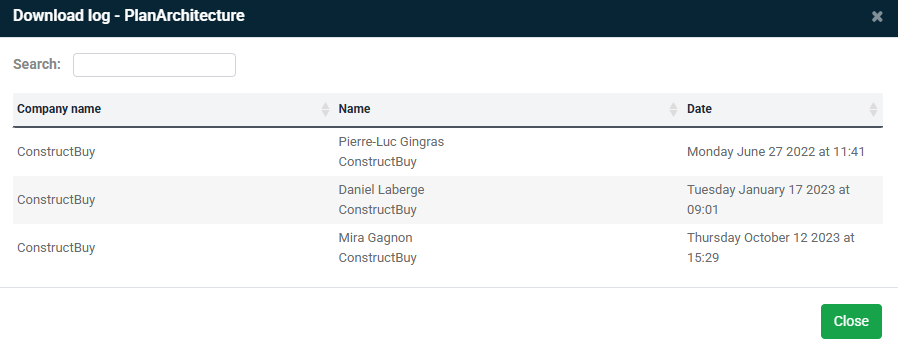
Take a look at the image below, here is the information you will be able to access using this function: