
You know you have access to more than one ConstructBuy account, but you're not sure how to easily switch between them?
Follow the instructions below to learn how to change your active organization whenever you need to:
-
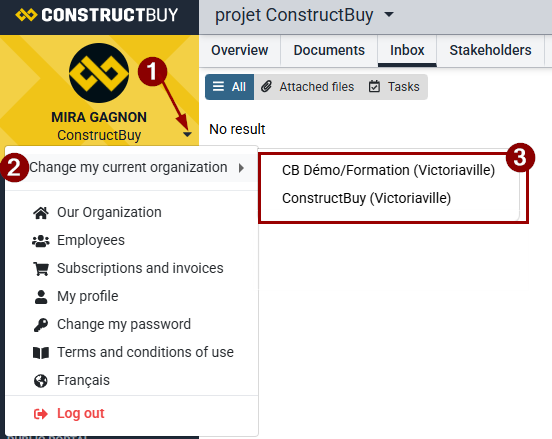
Click the small downward-pointing triangle to the right of your company name, located in the yellow box at the top left of the screen.
-
Click Change my current organization. (If this option is not available, only one ConstructBuy account is linked to your email address.)
-
Select the organization you want to access from the list of available organizations.