
Français
If you want to change your ConstructBuy’s account password and if you still have access to your account, please follow the instructions below to complete the change:
-
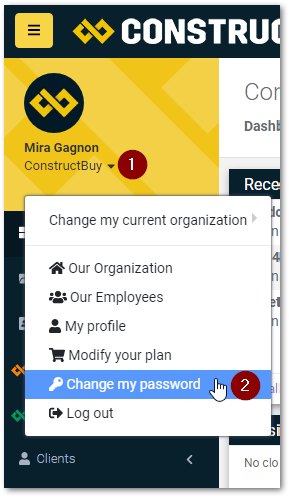
Click on the upside-down triangle located in the top left corner of your account’s page
-
Choose “Change my Password”
-
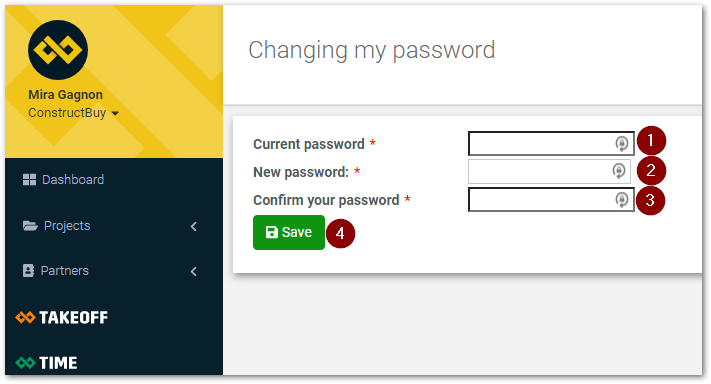
Type your current password in the first box
-
Type your new password in (with a minimum of 8 characters)
-
Confirm your new password
-
Click on “Save”
If you don’t remember your password, you can follow the instructions available on this page.