
-
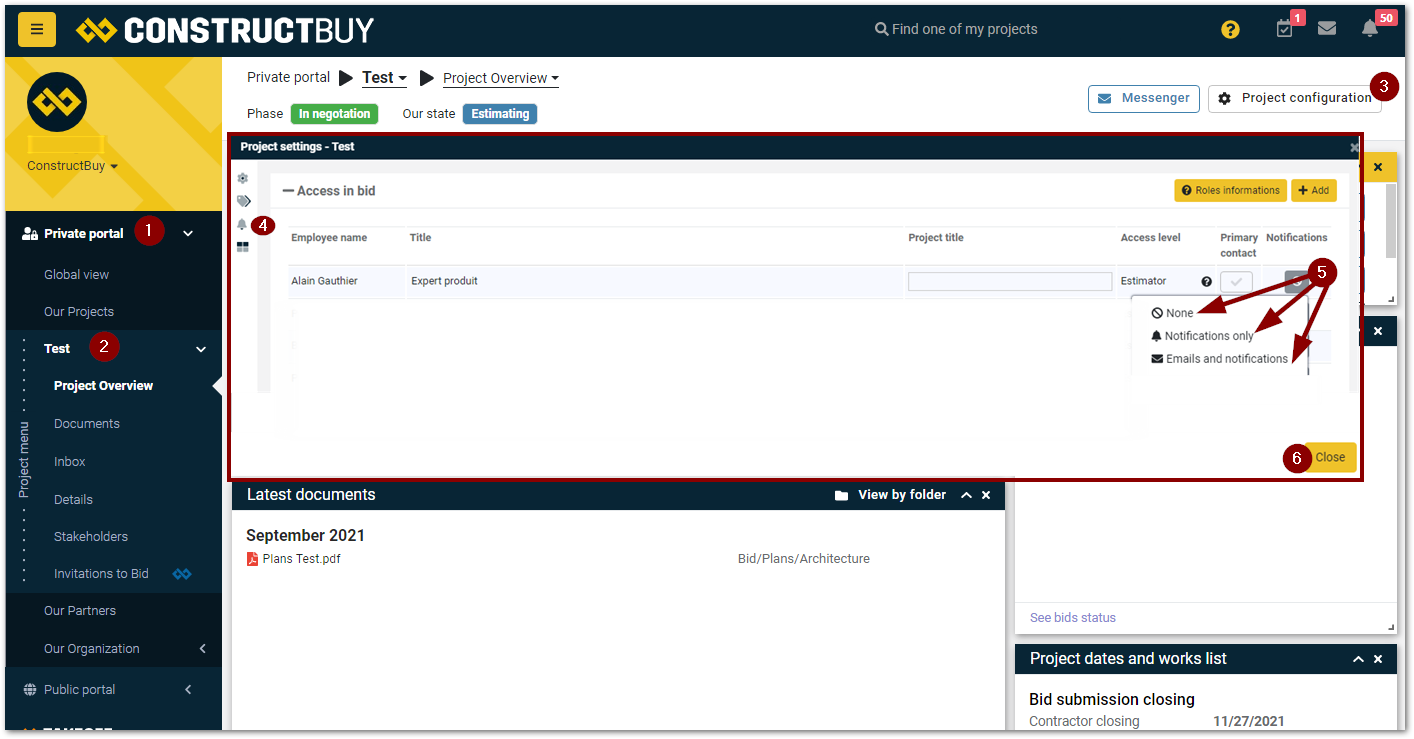
Go into your Private portal
-
Select the project of which you want to change the email notifications for
-
Click on Project Configuration
-
Click on the bell icon
-
Select the wanted notification type for the user of which you want to change the notification preferences for the project
-
None, you won’t receive any type of notification for this project
-
Notifications only, you will only receive notifications on your ConstructBuy account
-
Emails and notifications, you will receive notifications via Emails and on your ConstructBuy account
-
-
Click on Close to complete the change