
To reduce the storage space used by your project files, follow the steps below to archive a project in BID:
-
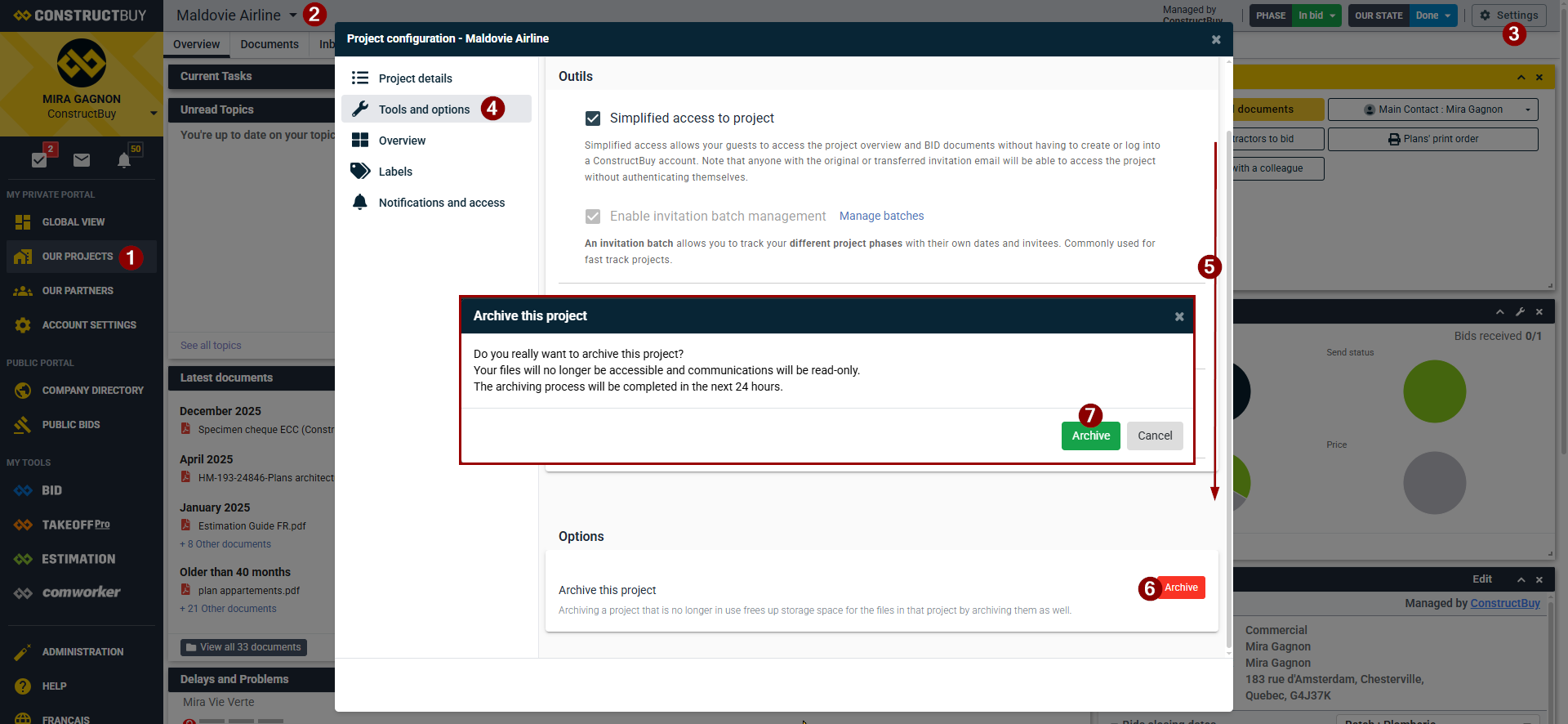
Go to your Private Portal on ConstructBuy and to Our Projects.
-
Select the project you want to archive.
-
Click Project Settings.
-
Select Tools and options
-
Scroll down the window
-
Click Archive
-
Select Archive in the window to confirm.
Your project will be fully archived within 24 hours.
Once a project has been archived, it no longer uses your storage space. However, the documents associated with that project will no longer be accessible from your account.
Unarchive a Project
If you realize you made a mistake and no longer want to archive your project, you have 24 hours after initiating the archive process to cancel it.
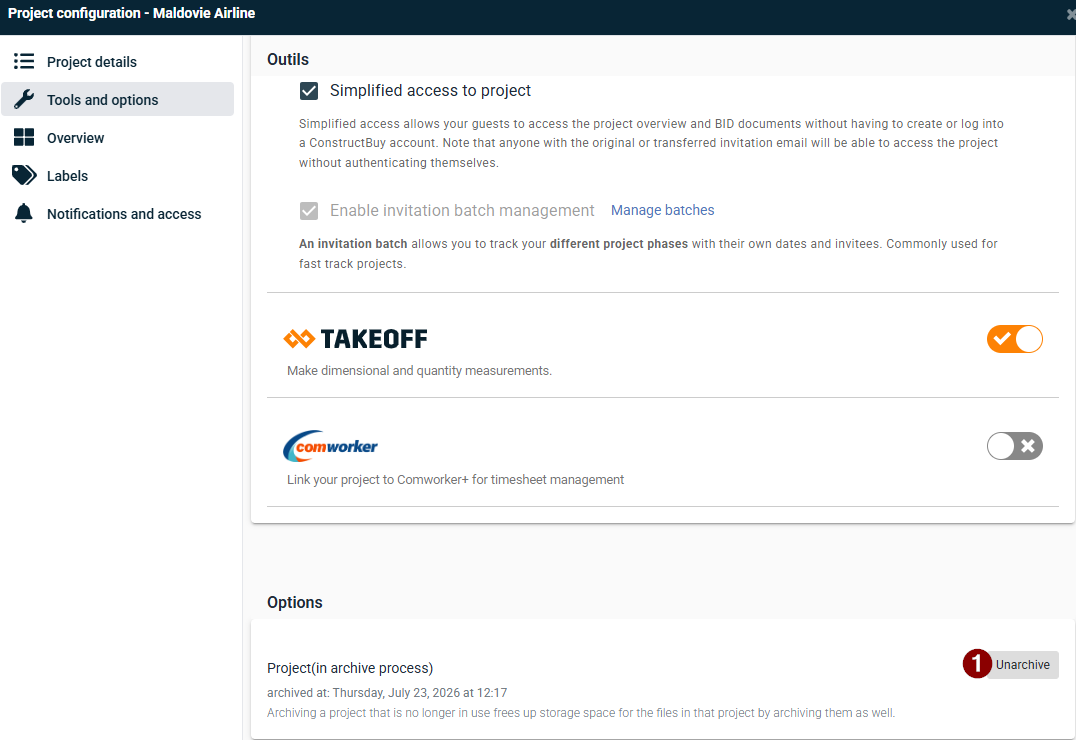
While still in Project Settings → Tools and options, click Unarchive.