
Each stakeholder added to a project incurs a monthly cost. For this reason, you should keep track of the stakeholders you add to your projects and remove their access when they no longer need access to the project during the execution phase.
Follow the steps below to remove a stakeholder from a project:
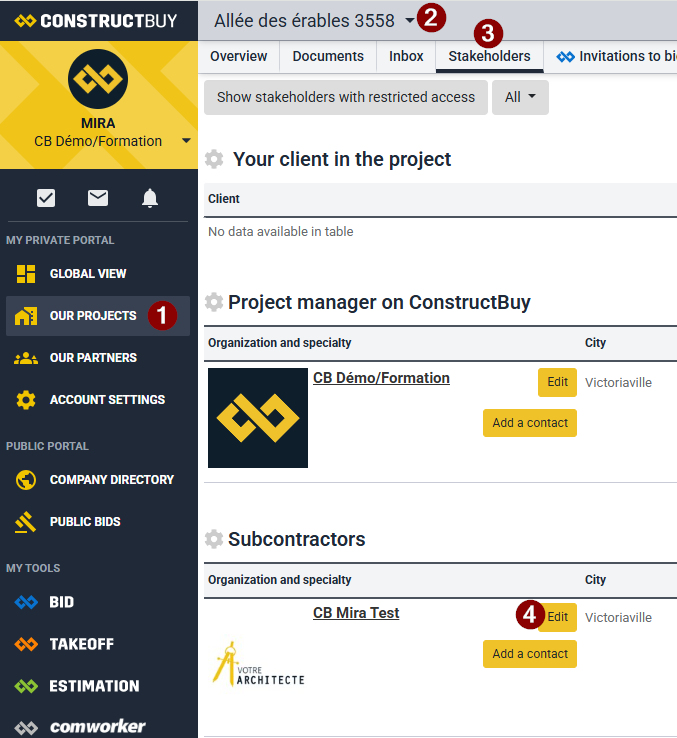
-
In ConstructBuy, go to Our Projects.
-
Open the project from which you want to remove a stakeholder.
-
Click the project's Stakeholders tab.
-
Click Edit to the right of the stakeholder you want to remove from the project.
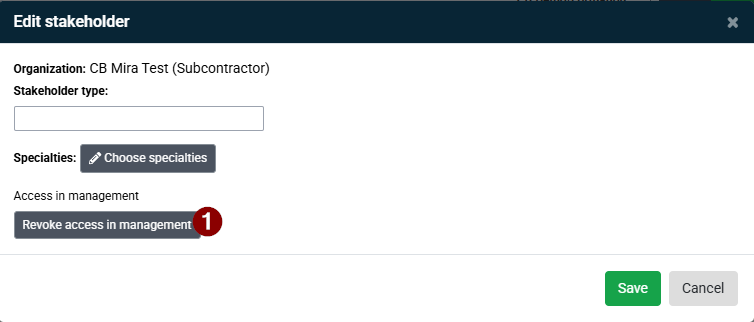
-
Click “Revoke access in management”.
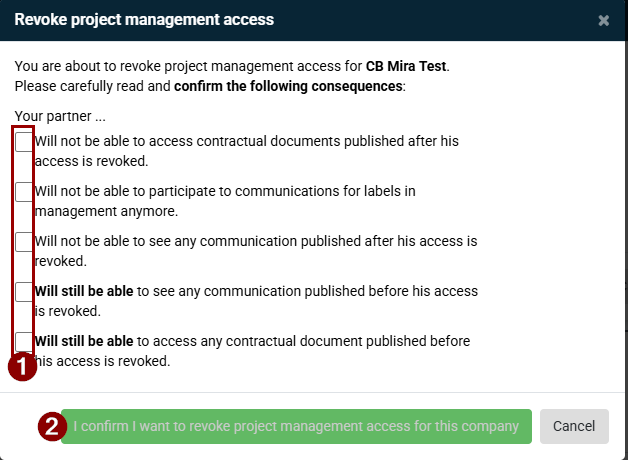
-
Check all five confirmation boxes to acknowledge that you understand the implications of removing the company's management access to the project.
-
Once all five boxes have been checked, click I confirm that I want to revoke access in management for this company.
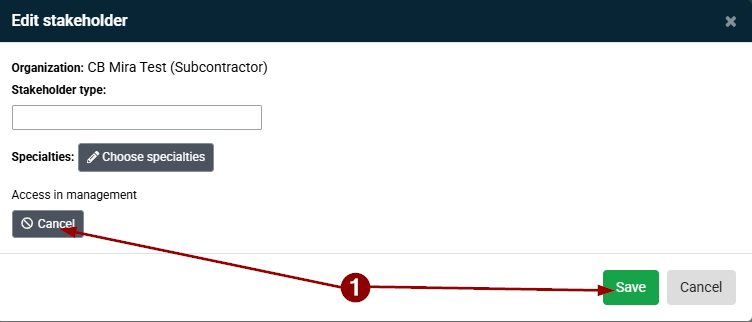
-
If you realize you made a mistake at this point, click Cancel.
If you wish to proceed with removing the stakeholder, click Save.
If your billing indicates that you still have active stakeholders on your projects, but you no longer remember which projects they are assigned to, please contact our Technical Support team. They can provide you with a list of projects that still have active stakeholders, if needed.
To contact Technical Support:
By phone: +1 (418) 780-2929
By email: info@constructbuy.com